

Spirit Casino App Australia: Install the PWA on iPhone and Android, Play Pokies and Claim the Welcome on Your Phone
The Spirit Casino app for Australian players is a progressive web app: you add it to your home screen from Safari or Chrome in under a minute, with no store download. It opens full screen, keeps you signed in and runs the same lobby, cashier and A$22,500 welcome as the desktop site. Below are the install steps for both phones, what the app includes and how to pay from it.
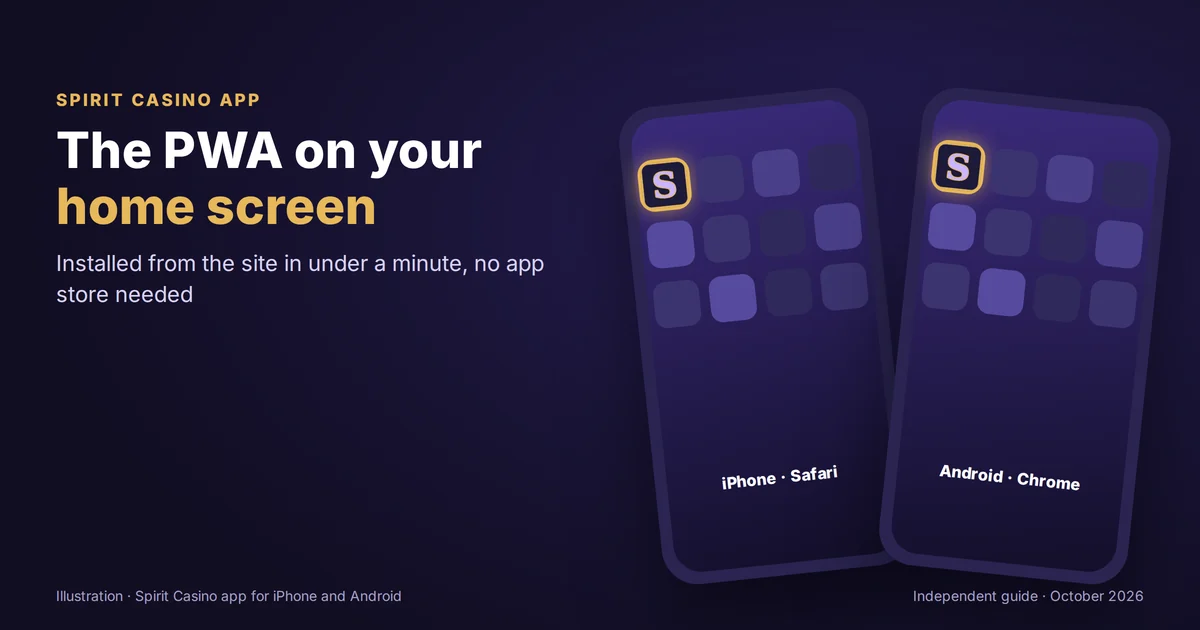
Add Spirit to your home screen and play in A$
Spirit Casino App: a PWA Installed in Under 1 Minute
Spirit does not list a native app in the App Store or Google Play. What it offers instead is a web app that your phone treats almost like a downloaded one: an icon on the home screen, a full screen window, and a session that remembers you between visits. Since the app loads from the Spirit server every time, it is always the latest version.
Nothing to update.
For most players that is the whole appeal. A store app needs approval, downloads and update prompts, while the PWA skips all three and still gives you one-tap access to the pokies, the live tables and your A$ balance.
Spirit PWA Install: 4 Steps on iPhone and Android
| Step | iPhone (Safari) | Android (Chrome) |
|---|---|---|
| 1 | open the Spirit site in Safari | open the Spirit site in Chrome |
| 2 | tap the Share icon at the bottom | tap the three-dot menu at the top right |
| 3 | choose Add to Home Screen | choose Install app or Add to Home screen |
| 4 | confirm the name and tap Add | confirm, and the icon appears |
Menu labels vary slightly between phone and browser versions.
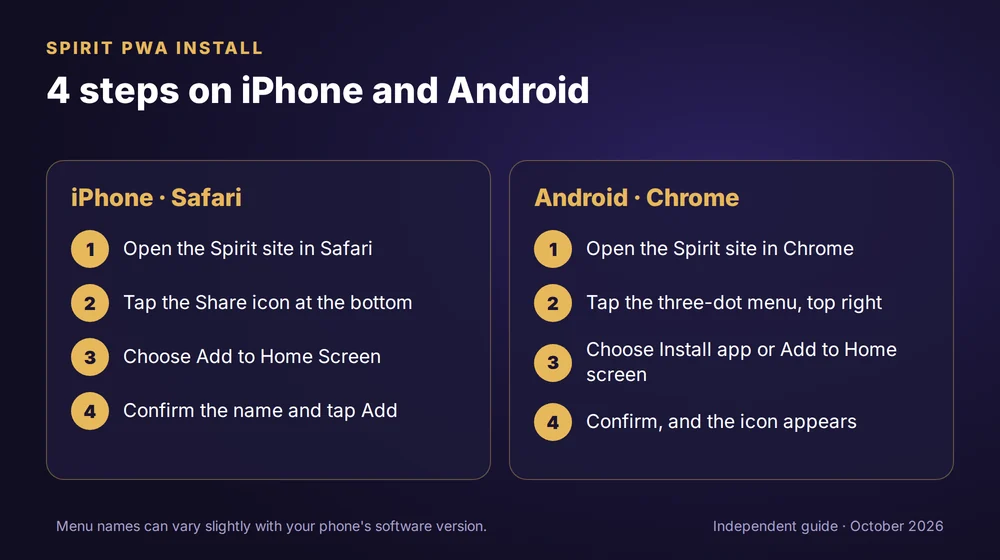
On an iPhone the install only works from Safari, so if you browse in another app, copy the address across first. Android phones accept the install from Chrome and from most Chromium-based browsers, and some show an install banner on their own the first time you visit. Once the icon is there, log in once and the app opens straight into your account from then on.
Install the Spirit PWA in under a minute
What You Get in the App: Lobby, Cashier and A$22,500 Welcome
| Area | In the app |
|---|---|
| Pokies | the full lobby from 150+ studios, with search and studio filter |
| Live casino | Evolution and Ezugi tables, according to review sites |
| Cashier | cards, Apple Pay, Google Pay, e-wallets, vouchers and 6 cryptocurrencies |
| Welcome package | up to A$22,500 + 350 free spins over 4 deposits |
| Account | balance, bonus progress, documents, deposit limits and time outs |
| Support | live chat from inside the app |
Features as of October 2026; the app mirrors the current site.
The app is the website, rearranged for a small screen. That means no cut-down catalogue, no separate mobile promotions to chase and no second set of terms to read before you deposit from the phone. Whatever you set up on the laptop, from a deposit limit to an uploaded ID, is already in place on the phone, and the reverse is true as well.
Phone Requirements: 3 Things Your Device Needs
The first is an up to date browser, Safari on iOS or Chrome on Android, since the install option and the game engines rely on current web standards. The second is a stable connection, ideally wifi for live tables, where a dropped stream can cost you a round. The third is a screen lock. Because the app stays signed in, the code or fingerprint on your phone becomes the real guard on your A$ balance, and it takes ten seconds to set.
Storage is not a concern. The app keeps a home screen icon and a small cache, nothing like the size of a store download, so even an older phone with a full gallery can run it.
Spirit Mobile Bonus: 350 Free Spins on the Phone
Every step of the welcome works from the app. Open the offer card, opt in, and deposit: the first step pays 100% up to A$3,000 with 200 free spins, and the third adds 150 more. The spins appear in the account the same way they would on a laptop, and the wagering progress bar updates after each session wherever you play it. Full maths at different deposit sizes is on the Spirit welcome package in A$.
Claim 200 free spins from your phone
Mobile Payments: Apple Pay, Google Pay and 6 Coins in the Spirit App
Phones make Apple Pay and Google Pay the quickest way in, since the payment is confirmed with Face ID, a fingerprint or the device code rather than typed card details. Crypto is just as handy if your wallet app sits on the same phone: copy the address from the Spirit cashier, switch apps, paste and send. Withdrawals are requested from the same cashier tab, and a payout to an e-wallet or a coin is the quickest route back according to review sites.
Top up by Apple Pay or Google Pay in the app
Android APK Files: Where to Get the App Safely
At least one review mentions an Android download for Spirit, while the site itself is set up as a web app. The safe rule is simple. If the Spirit site offers an Android file, take it from the site and nowhere else; a file with the Spirit name on a forum, a chat group or a mirror site has no link to the operator and can ask for permissions a casino has no use for. The PWA gives the same lobby and cashier without installing anything from outside your browser.
| If this happens | Try this |
|---|---|
| No Add to Home Screen option on iPhone | open the site in Safari, not inside another app |
| No install option on Android | update Chrome, then reload the site |
| App asks you to log in again | sign in once; the session is saved on the device |
| Icon opens a blank screen | check the connection, then close and reopen the app |
Common fixes for web apps on phones.
New to Spirit? The sign up takes five steps and is explained in Spirit sign up and login help, and the brand overview sits on the main Spirit Casino Australia guide.
Spirit Casino App FAQ
Is there a Spirit Casino app for iPhone?
Yes, as a web app installed from Safari rather than the App Store. Open the site, tap Share, choose Add to Home Screen and confirm. The icon opens Spirit full screen with your account, lobby and cashier, and it updates itself every time it loads.
Is there a Spirit Casino app for Android?
Yes. Open the site in Chrome, choose Install app or Add to Home screen from the menu and confirm. If the Spirit site itself offers an Android download, take it only from there, never from a third-party page carrying the brand name.
Is the Spirit app safe?
The PWA runs over the same encrypted connection as the website and installs nothing outside your browser. Keep it safe on your side with a screen lock, a unique password and a deposit limit set in the account before your first mobile top up.
Does the Spirit app use much data?
Pokies use little data per spin. Live dealer streams use the most, so play those on wifi where you can. The app itself stores only an icon and a small cache, which keeps the phone's storage almost untouched even after months of use.
The Spirit app is for players aged 18 and over.
Phones make it easy to play at any hour, which is why a deposit limit set in the account matters most here; add a time out whenever you need a break. Gambling Help Online: 1800 858 858.
This is an independent guide; the operator runs the site and the app.